The Box That Keeps the Lights On: Why Local Smart Home Hubs Finally Make Sense
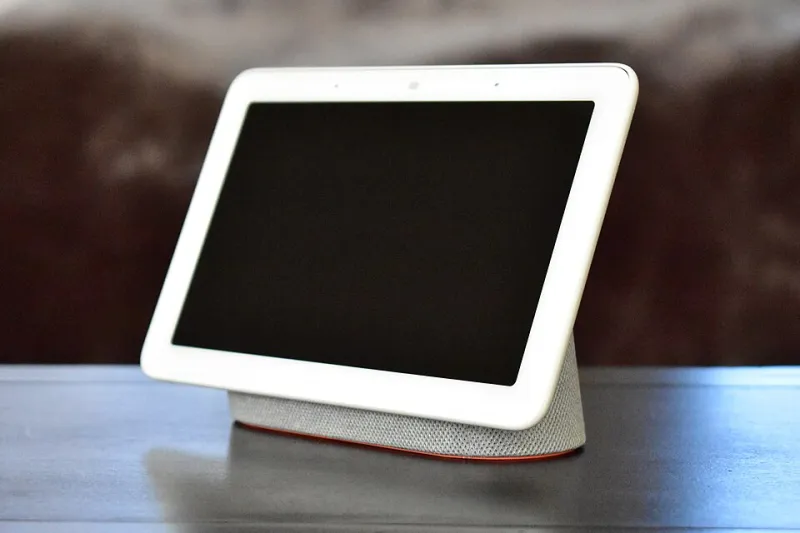
Photo: Y2kcrazyjoker4, CC BY-SA 4.0, via Wikimedia Commons
As of November 2026, a smart home that stops working when the broadband drops is not smart. It is a cloud subscription with a light bulb attached. That is why local-control hubs have moved from nerdy side project to genuinely sensible purchase for UK homes with more than a handful of connected devices.
The idea is simple: keep the brains in your house, not in a data centre. When the internet goes down, your hallway light should still come on. When the vendor's app has a wobble, your heating schedule should still run. A local hub is the box that makes that happen.
Why your smart home falls over when the Wi-Fi does
Most cheap smart plugs, bulbs and cameras are built around the cloud. Your phone sends a command to a server, the server sends it back to your home, and the device reacts. It feels instant when everything works. It falls apart when the router reboots, the vendor has an outage or your broadband drops for the third time this month.
Local control flips that. The hub talks directly to the devices in your home and runs the automations itself. Your phone may still use the internet for remote access, but the basics keep working offline. That matters more in the UK than we like to admit, especially in rural areas or during a bad storm.
What a local hub actually does
A hub is a translator and a referee. It speaks to devices using radio protocols such as Zigbee, Z-Wave, Thread or Matter, then runs rules like 'turn the hallway light on when motion is detected after sunset'. It stores those rules locally and keeps a local record of what happened.
It is not magic. If you buy a Wi-Fi plug that only works through a vendor cloud, a local hub cannot rescue it unless the vendor exposes local control. The hub can only be as local as your devices allow. That is why Matter and Thread matter so much: they make local control easier, but they do not guarantee it. Always check the small print.
The leading options in the UK
Home Assistant Green
Around £100, this is the obvious starting point for tinkerers. Home Assistant is open source, supports a huge range of devices and keeps your automations on the box. The catch is that you will spend an evening watching a tutorial and wondering why your Zigbee coordinator is sulking. There is an optional Home Assistant Cloud subscription for easier remote access and voice assistants, but it is not compulsory. For privacy and flexibility, it is hard to beat.
Homey Pro
Around £399, Homey Pro is the polished option. It supports lots of radios, has a friendly app and handles complex flows without making you feel like a sysadmin. It is local-first, and the optional cloud services are just that: optional. The price is the hurdle. If you want plug-and-play local control and you have the budget, it is excellent. If you enjoy saving money, you will feel the sting.
Hubitat Elevation
Around £150, Hubitat is the quiet workhorse. It runs locally, has a strong rules engine and does not demand a subscription for the basics. The interface is less friendly than Homey and less flexible than Home Assistant, but it sits in a sensible middle ground. It is a good choice if you want local automations without a weekend of YAML.
The budget route: SmartThings and Apple Home
A SmartThings hub or an Apple HomePod can handle some local automations, especially with Matter and Thread devices. They are cheaper and easier to live with. But they are not fully local in every scenario. Some features still rely on the cloud, and vendor ecosystems have their own limits. Apple's HomeKit is strong on privacy and local execution for supported devices, but it is not a universal hub for every cheap gadget you own.
What we tested
We set up a simple week-long test: hallway light on motion, a heating schedule, and a camera recording to local storage. Then we pulled the router for an hour. Home Assistant, Homey and Hubitat kept the core automations running. The SmartThings setup handled some local rules but stumbled on devices that wanted the cloud. A cheap Wi-Fi plug failed completely, which is exactly the point: the hub cannot fix a cloud-only device.
Privacy: the quiet win
Local control is not just about reliability. It is also about how much data leaves your home. If your motion sensor triggers a light through a local hub, that event does not need to be uploaded to a server. If your camera records to a local drive, you are not paying a monthly fee to watch your own garden.
That said, check the hub maker's privacy policy. A local hub can still phone home for analytics or remote access. The good ones make that optional. The bad ones bury it in a settings menu.
The subscription traps
The hub itself is rarely the trap. The trap is everything around it. Cloud camera storage, remote access, backup, cellular failover and voice assistant integration can all add a monthly fee. Home Assistant Cloud is optional but useful. Homey's cloud services are optional but easy to lean on. Some camera brands charge per camera, per month, for the privilege of recording a fox at 2am.
Before you buy, list every device you want to keep working offline. Then check whether the hub supports it locally, not just through a cloud integration. If the answer is 'sort of', budget for the subscription or look for a different device.
The verdict
Buy a local hub if you have critical automations, a growing pile of sensors, or a broadband line that lets you down. The Home Assistant Green is the best value for the curious. The Homey Pro is the best experience if you can afford it. Hubitat is the sensible middle. If you only have three bulbs and no real automations, a better router and a small UPS might serve you better.
The smart home should not need the internet to turn on a light. In 2026, a £100 box can make that true. That is not a gadget gimmick. It is the difference between a smart home and a remote-controlled one.