Watts on the Label, Watts in the Box: Matching USB-C Cables to 2026 Laptops
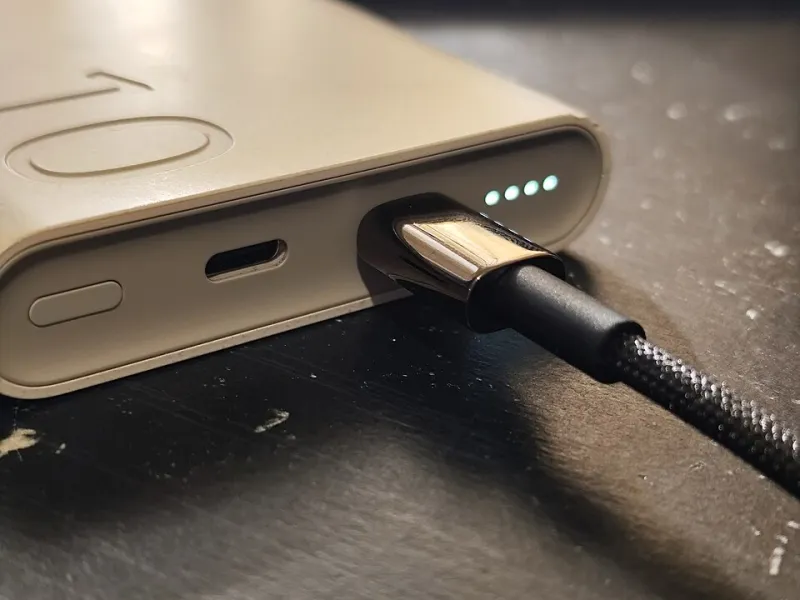
Photo: Logant547, CC BY 4.0, via Wikimedia Commons
There is a particular kind of disappointment that arrives when you plug a new laptop into a shiny new cable, see the charging icon appear, and then notice the battery estimate says four hours. The cable works. The charger works. The laptop works. But the combination is not delivering anywhere near the power you thought you had bought.
In 2026, this is becoming a more common problem rather than a rarer one. Laptops, docks and chargers are pushing USB-C power further than the old 100W ceiling, with 140W, 180W and 240W setups now appearing on UK shelves and in online marketplaces. The trouble is that USB-C cables are not all created equal, and the outside of a cable tells you almost nothing about what is inside it.
240W is a standard, not a sticker
USB-C charging is governed by USB Power Delivery. For years, the practical ceiling for many laptops was 100W. The newer Extended Power Range, usually shortened to EPR, raises that ceiling to 240W by moving to higher voltage and current combinations. That is genuinely useful for beefy creative laptops and desktop-replacement machines.
But a 240W charger does not magically make every cable a 240W cable. The cable has to support the higher current and be built for the voltage involved. A cable rated for 100W may still charge a 240W laptop, but it will do so at a lower rate. That might be fine overnight and deeply annoying when you are trying to top up between meetings.
This is why the wattage printed on a cable is worth reading, but not worth trusting on its own. Many cheap cables carry optimistic labels. Some have no meaningful label at all. The more reliable clue is inside the connector.
The e-marker is the bouncer
Most decent USB-C cables include a small chip called an e-marker. It tells the charger and the device what the cable can handle, including current rating and, in newer cables, whether it supports EPR up to 240W. If the cable lacks the right e-marker, the charger and laptop may fall back to a safer, slower profile.
That is not a fault. It is the system protecting itself. The problem is that the buyer often sees only a charging light and assumes everything is working at full speed. In reality, the laptop may be sipping power rather than gulping it.
When shopping, look for clear language about USB PD 3.1 or EPR and a 240W rating. A vague claim like fast charging is not enough. Nor is a high data speed rating. A cable can be excellent for transferring files and still be a poor choice for powering a large laptop.
The weakest link is usually the boring one
A charging setup is a chain: wall socket, charger, cable, dock or hub, then laptop. The weakest link sets the pace. A 240W charger paired with a 100W cable will not deliver 240W. A 240W cable plugged into a 65W charger will not turn that charger into something bigger. A dock may reserve part of its power budget for its own ports, so the laptop receives less than the number on the dock’s box.
This matters for UK buyers because docks and hubs are often sold as universal. They are not. Before buying, check the power input the dock expects, the power it can pass through to a laptop, and whether that pass-through figure is enough for your machine. If your laptop ships with a 140W charger, a dock that passes through 100W may keep it running but will not charge it quickly under load.
Also check the laptop’s own requirements. Some machines will accept power from a range of chargers but only run at full performance with their original adapter or a charger that meets the same profile. The battery may charge slowly while the processor is throttled. That is not always a cable problem, but it can look like one.
Retailers, returns and the compatibility grey zone
In the UK, buying online gives you a cooling-off period for most consumer purchases, and the Consumer Rights Act 2015 gives you rights when something is not as described. A cable advertised as 240W that cannot handle 240W is a strong candidate for a return. A cable that works but simply is not fast enough for your particular laptop is a murkier case, because compatibility depends on the whole setup.
That is why it pays to keep packaging and order details until you have tested the cable properly. Check the battery estimate, not just the charging icon. Try it with the laptop switched on and doing something demanding. If you are buying from a marketplace seller, read the returns policy before checkout. A bargain cable that costs you an afternoon of arguing is not a bargain.
A simple pre-purchase checklist
Before you pay, match the numbers and the wording:
- Does the cable explicitly say 240W, USB PD 3.1 or EPR? If it only says fast charge, assume nothing.
- Does your charger support the same standard and wattage? A 240W cable cannot fix a 100W charger.
- Does your laptop actually accept that much power over USB-C? Check the spec sheet or the original adapter.
- If you use a dock, what is the pass-through wattage to the laptop, not just the dock’s total input?
- Is the cable rated for the data speed you need as well as the power? One good cable can do both, but only if it says so.
- Can you return it easily if the negotiation between devices does not go your way?
The 240W cable trap is not really about dishonest cables, although some are. It is about a standard that allows devices to quietly settle for less. That is sensible engineering, but it makes for confusing shopping. Read the fine print, match the whole chain, and test before the returns window closes. Your laptop will thank you, even if it never says so out loud.